
Free · Android
Save Status
Save WhatsApp statuses to your phone - free
Save WhatsApp photo and video statuses to your gallery - free for Android.

Save Status is an independent app and is not affiliated with, endorsed by or sponsored by WhatsApp or Meta.

What the app does
WhatsApp & WhatsApp Business
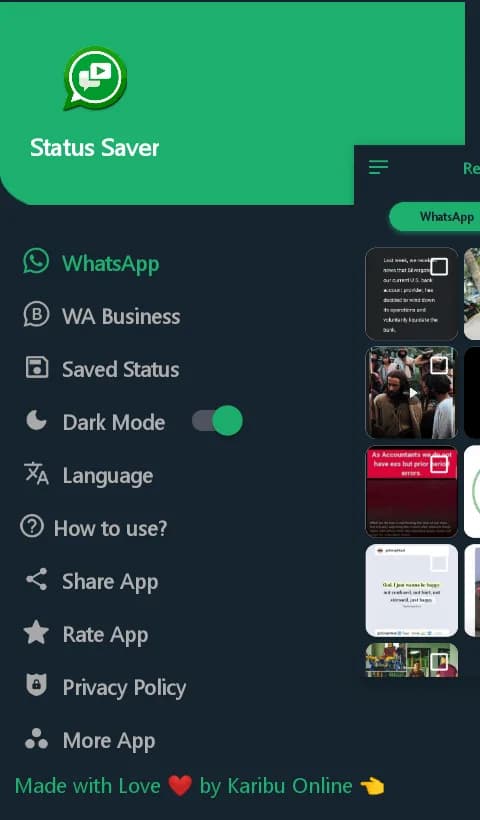
Switch between statuses from regular WhatsApp and WhatsApp Business.
Photos and videos
Separate tabs for photo and video statuses keep things easy to find.
Save to your gallery
Keep a status after it disappears from WhatsApp’s 24-hour window.
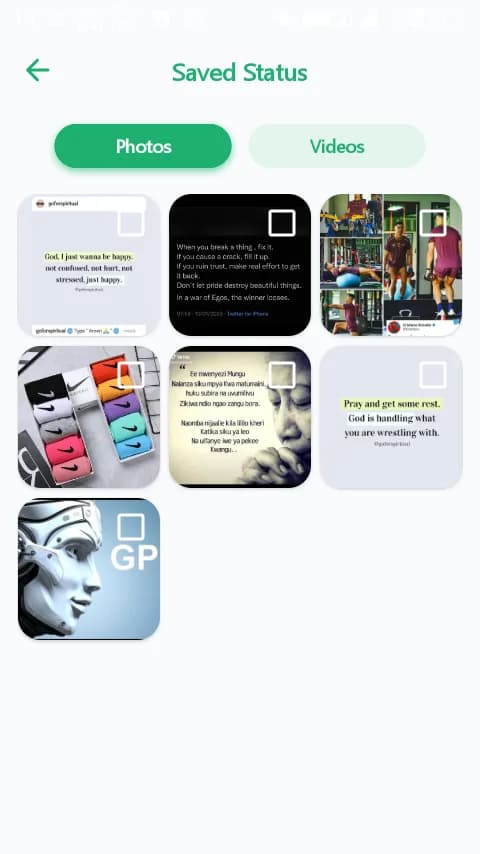
Saved Status library
Everything you save is collected in one place inside the app.
Dark mode
A comfortable dark theme for night-time browsing.
Multiple languages
Choose the app language that suits you.
How to save a status
- 1Open WhatsApp and view the status you want to keep.
- 2Open Save Status. Statuses you have viewed appear under the WhatsApp (or WA Business) tab.
- 3Choose Photos or Videos, select the status and tap the download button.
- 4Find it any time in Saved Status or in your phone’s gallery.
Need more detail? Read our step-by-step guide: How to save a WhatsApp Status.
Use it respectfully
- • The app can only show statuses that you have already viewed in WhatsApp on this phone.
- • Statuses belong to the people who posted them. Ask before you re-share someone else’s photo or video.
- • Don’t use saved content to harass, embarrass or impersonate anyone.
Requirements
- • An Android phone with WhatsApp or WhatsApp Business installed.
- • Storage access, so the app can read viewed statuses and save copies to your gallery.
Get Save Status on Google Play
Free to download. Install it in seconds from the official Google Play Store.